
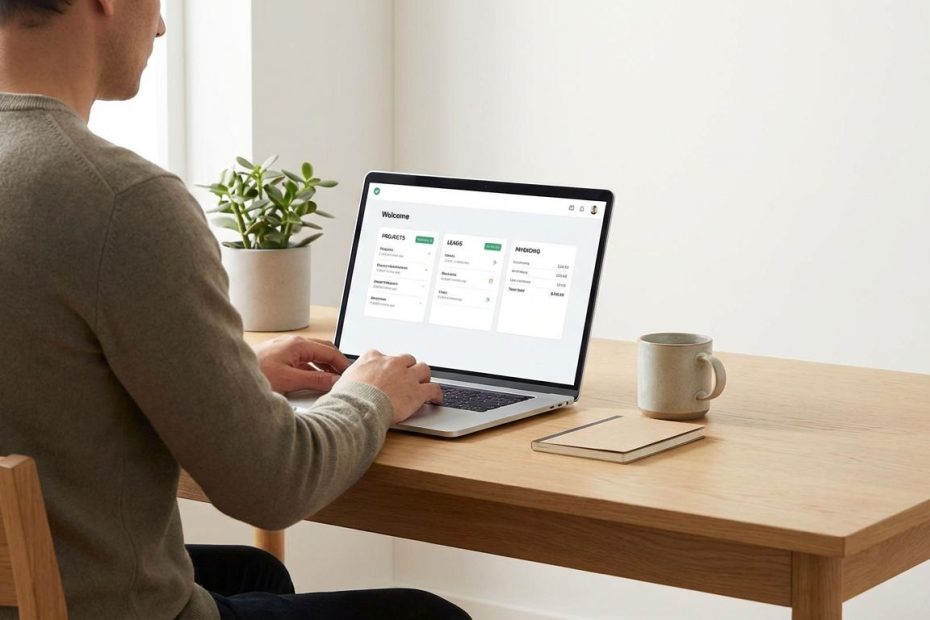
The best tech stack for a one-person business is a lean system you can run daily: one place to manage work, one place to manage money, one place to manage leads, then automation only where it removes repetitive steps.
This guide lays out the essential tools that keep a solo operation stable as workload increases. You’ll get clear decisions for your home base, CRM, invoicing and accounting, project management, email marketing, and foundational business operations. The aim is speed, accuracy, and less admin, so more time stays on delivery and revenue.
What Is The Best “All-In-One” Tech Stack For A Solopreneur (So You Don’t Juggle 12 Apps)?
A workable “all-in-one” stack starts with a single system of record, the place where the truth lives. That means your active client list, current projects, next actions, deadlines, and key notes sit in one location you open every day. When that hub is strong, the rest of your tools stay lighter because fewer decisions get split across apps.
The mistake that burns time is building a “best-in-class” stack too early. You end up paying for overlap, syncing data across tools, and constantly asking where the latest status lives. A one-person business does better with fewer moving parts, a clean daily workflow, and a set of defaults that reduce switching costs.
From there, add tools only when they remove a recurring bottleneck. If a tool does not shorten a weekly task, reduce errors, or increase conversion, it belongs on the “later” list. That single rule keeps your stack small even as revenue grows.
Also set one operational standard early: every client, every project, every invoice, every follow-up must be attributable to an owner and a timestamp. That standard prevents the classic solopreneur failure mode, loose commitments that live in messages, memory, and scattered notes. When your stack supports that discipline, the business stays calm under load.
Do You Really Need A CRM As A One-Person Business, Or Can You Use Notion Or Sheets?
A CRM becomes necessary when follow-ups slip, lead status becomes unclear, or your sales process needs reminders and repeatable steps. If you manage fewer than roughly 20 to 30 active leads at a time and your offers are simple, a structured spreadsheet, Notion database, or Airtable-style table can work well. The moment you miss a follow-up that should have closed, the “free” system starts costing real money.
Using Notion or Sheets is not “less professional” if the workflow is disciplined. A workable setup has defined fields and consistent rules: lead source, stage, last contact date, next action, expected value, decision date. If those fields remain current, you can run a clean pipeline without dedicated CRM software, and you avoid the setup overhead that CRMs often impose on a solo operator.
A dedicated CRM earns its keep when you need structure that enforces behavior. Pipeline stages, automatic task creation, email templates, scheduling links, proposal tracking, and reporting are the typical triggers. Another trigger is collaboration with an assistant or contractor, since shared visibility matters more once multiple people touch the same client lifecycle.
When evaluating CRMs, prioritize fit over feature volume. Your daily actions are simple: capture a lead, qualify, book a call, send a proposal, follow up, close, onboard. A CRM that makes those actions fast will outperform a “powerful” CRM you avoid opening. For many solopreneurs, a clientflow-style tool that bundles lead management with proposals, contracts, and invoices reduces app sprawl and cuts data duplication.
If the CRM decision still feels unclear, implement a two-week proof: track every lead using your current tool, then note every time you lose time searching, forget a follow-up, or duplicate data. Those are measurable friction points, and they map directly to whether a CRM is worth paying for.
What’s The Best Invoicing And Accounting Software For Freelancers And Solopreneurs Right Now?
“Best” depends on one question: do you want the cheapest workable setup, the simplest invoicing workflow, or the most accountant-friendly system that scales? A solo business usually needs professional invoices, online payments, expense tracking, category rules, basic reports, and clean exports for taxes. Anything beyond that is optional until volume forces the upgrade.
Common picks in freelancer-focused accounting roundups include Wave, FreshBooks, Zoho Books, and QuickBooks Online, each with a different tradeoff. Wave often appeals when budget discipline matters most and you want core invoicing and bookkeeping without a heavy monthly commitment. FreshBooks fits when invoicing and time tracking sit at the center of your service delivery, and you want billing to stay simple and fast. Zoho Books tends to attract owners who want a full accounting tool that still feels manageable, plus a wider business suite if you add more Zoho apps later. QuickBooks Online often becomes the default when an accountant expects it, integrations matter, or the business is heading toward higher transaction volume and complexity.
If bookkeeping accuracy is a weak spot, pick the system that minimizes “manual classification.” Bank feeds, rules, recurring invoices, and consistent chart-of-accounts behavior matter more than stylish dashboards. If invoicing speed is the weak spot, pick the system that reduces invoice creation to a template, a quantity, a price, and one click to send. In a one-person business, the best accounting tool is the one that keeps cash collection tight and month-end cleanup small.
One more operational standard pays off: separate business banking from day one, then map every transaction to a category inside your accounting tool weekly. A weekly 20-minute habit prevents year-end chaos, keeps tax estimates realistic, and makes profitability visible. Software helps, discipline makes it work.
Wave Vs QuickBooks Online: Which One Fits A One-Person Business Best?
Wave fits when simplicity and cost control matter, and your accounting needs stay basic. If the business runs on straightforward service invoices, a small number of expense categories, and you mainly need clean reporting for tax time, Wave can cover the essentials. This is the “keep overhead low” move, and it works best when transaction volume stays moderate and you keep your bookkeeping habits consistent.
QuickBooks Online fits when the business needs broader integrations, more detailed reporting, stronger accountant compatibility, and a clearer path as complexity increases. If you manage multiple revenue streams, more payment methods, higher transaction counts, inventory-adjacent workflows, or you plan to delegate bookkeeping, QuickBooks often reduces friction later. The cost is higher, and the interface can feel heavier, but the ecosystem is extensive and many professionals already work inside it.
The real decision is not brand loyalty, it’s operational risk. If your business is already losing hours to bookkeeping cleanup, underestimating taxes, or reconciling payment platforms manually, paying for the more scalable tool can be cheaper than the time leakage. If money is tight and your transactions are simple, the lighter tool can be the right call, provided the weekly bookkeeping habit stays intact.
A clean migration path matters. If you start with a lighter tool, keep your categories stable, store receipts consistently, and track client invoices with consistent naming. That discipline makes an eventual move to a heavier platform far less painful.
What’s The Best Project Management Tool For A Solopreneur: Notion, Trello, Asana, Or ClickUp?
The best project management tool is the one that stays open all day and makes next actions obvious. In a solo operation, most project management failure comes from friction, not from missing features. If it takes too many clicks to capture a task, assign a due date, and see what matters today, you will drift back to notes, inbox flags, and mental tracking.
Notion tends to win when your work is knowledge-heavy: SOPs, client notes, research, content calendars, deliverables, and templates live alongside tasks. That “docs plus tasks” setup is powerful when you build repeatable delivery checklists for services and standard operating steps for admin. Trello tends to win when you want a simple visual Kanban board that keeps work moving without much setup or maintenance.
Asana often fits when you want structure without extreme customization. It can handle recurring tasks, project templates, and clear assignments, and it stays readable as projects multiply. ClickUp often fits when you want maximum features and multiple views, and you’re willing to spend time configuring. ClickUp can replace multiple tools if configured well, yet that configuration effort becomes a hidden cost for many solopreneurs.
Pick based on your operating rhythm. If the business runs on repeatable delivery steps and written knowledge, anchor in Notion. If the business runs on a steady flow of small tasks moving through stages, anchor in Trello. If the business runs on multiple client projects with deadlines and repeatable templates, Asana or ClickUp can keep workload visible. Any of these tools can work, the winning choice is the one you can maintain without weekly reorganizing.
What Email Marketing Tool Should You Use Without Getting Trapped By Hype?
Email marketing tools often look similar on feature pages, yet daily usability differs. The right tool depends on what you send and how you monetize: newsletter-led audience building, service-based nurturing, course launches, or product sales. When the tool matches your workflow, you send consistently, segmentation improves, and your list becomes a stable revenue channel.
If your business relies on creator-style newsletters and automated sequences, tools like ConvertKit often come up because they prioritize subscriber management and automation flows that fit that use case. If you want general small-business email campaigns with solid templates and reasonable pricing, tools like MailerLite and Brevo are frequently discussed, with the decision often coming down to editor comfort, automation needs, and deliverability confidence. For ecommerce-heavy operations, specialized platforms often dominate, yet most solopreneurs can avoid that complexity until product volume demands it.
What matters operationally is speed to publish, confidence in deliverability, and sane list management as your audience grows. You need simple forms, tags or segments, a clean automation builder, and reporting that helps you improve subject lines and content timing. You also need predictable pricing that doesn’t punish growth too early, since list size increases before revenue always catches up.
Set one standard that protects time: one weekly send or one biweekly send, locked into your calendar. Email marketing does not pay off when it happens only during launches. A tool you enjoy using will beat a “premium” platform that sits idle, because consistency is the performance lever you control.
What Essential Foundation Tech Do You Need For Email, Files, Scheduling, And Security?
Foundation tech is the unglamorous layer that prevents downtime and credibility issues. A one-person business needs a professional email address on a custom domain, reliable cloud storage, shared calendars, video meetings, and straightforward access controls. When those basics run clean, client communication stays smooth and deliverables stay organized.
Google Workspace remains a common choice because it bundles business email, calendar, storage, and collaboration tools under one admin umbrella, with published plan tiers and add-ons. That bundled setup reduces vendor sprawl early, especially when you want one login, one billing relationship, and one place to manage permissions. It also makes it easier to add an assistant later without handing over personal accounts.
Security is part of “essential tech,” not an advanced topic. Use a password manager, turn on multi-factor authentication everywhere, and keep a backup plan for your critical files. A solopreneur business can’t absorb days of downtime, and account recovery delays can stall invoicing, project delivery, and client communication.
Scheduling also needs to be frictionless. A scheduling link with buffers, meeting limits, and clear availability rules prevents calendar overbooking and preserves deep work time. Pair that with clear client communication templates, meeting confirmation emails, and an intake form that collects the essentials before calls. Those small operational details reduce your weekly admin load more than most “productivity” features ever will.
How Should You Use AI Tools In A One-Person Business Without Creating More Busywork?
AI tools pay off when they reduce drafting time and compress routine admin. Strong use cases include first drafts for proposals, rewriting client-facing copy, summarizing call notes, extracting action items, generating checklist steps for SOPs, and building content outlines for articles or newsletters. The value comes from speed, and from reducing the cognitive load of starting from a blank page.
AI also creates a new kind of tool sprawl: multiple subscriptions, overlapping features, and constant switching between interfaces. If subscription fatigue is already showing up, a bundled or multi-model workspace can reduce the number of separate paid tools you maintain. The goal is not having “the smartest model,” it’s keeping one reliable workflow for writing, analysis, and reuse of templates.
Set guardrails so AI stays useful. Keep a stable set of prompts for proposals, onboarding emails, FAQs, and case study drafts, then refine those prompts over time. Maintain a human final pass for accuracy, pricing, deliverables, and promises, since client work carries reputational risk. Treat AI as a drafting engine and a formatting assistant, not as the owner of your commitments.
Operationally, the best AI workflow connects to your home base. If AI output lands in a doc you never revisit, it adds clutter. If AI output becomes a repeatable template inside your workspace, it becomes leverage, and the business gets faster each month without adding headcount.
How Do You Design A Tool Stack That Stays Lean As Revenue Grows?
A lean stack stays lean because you run it with rules. One rule defines where work lives, one rule defines where client truth lives, one rule defines where money truth lives. When those rules stay consistent, you stop rebuilding systems every quarter and you stop paying “attention tax” to manage your own tools.
Start by naming your system of record in three categories: projects, pipeline, and bookkeeping. Commit to one primary tool for each, then keep the rest as satellites that feed the core. A scheduling tool feeds the pipeline, a contract tool feeds the bookkeeping, a file storage tool feeds delivery, yet your daily dashboard remains your home base. That operating model prevents app sprawl while still letting you add specialized tools when needed.
Standardize your recurring workflows. New lead intake, discovery call prep, proposal creation, onboarding checklist, delivery steps, invoicing, follow-up, offboarding, testimonial request, referral request. Those workflows should run from templates inside your home base, with links out to the relevant tools. When templates drive the work, you reduce mistakes, reduce delays, and protect capacity.
Also implement quarterly stack reviews with performance metrics. Track time spent on admin, invoice payment speed, lead response time, proposal-to-close rate, and delivery on-time rate. If a tool doesn’t move a metric, it’s a cost center. If a tool improves a metric, keep it, then document the workflow so it remains repeatable.
What Is The Best All-In-One Tech Stack For A Solopreneur?
- Pick one home base for tasks, notes, SOPs
- Pick one money system for invoicing, bookkeeping
- Pick one pipeline system for leads, follow-ups
- Add automation only when it removes recurring manual steps
Build A Stack You Can Run Every Day
You win as a solopreneur by keeping operations simple, visible, and repeatable. Lock in a home base you trust, a money system you maintain weekly, and a pipeline system that prevents dropped follow-ups. Choose tools that reduce clicks and reduce rework, since time is the asset you can’t replenish. Keep your foundation tech professional, secure, and easy to manage, then use AI for drafting and admin compression, not as a substitute for decisions. Once the stack runs clean, capacity rises, delivery quality stays steady, and growth stops feeling like chaos.

Yitz Stern is a New York–based entrepreneur and business consultant with 20+ years of experience in alternative funding and real estate. A former CEO of Fundry and managing director at Tiger Financial Technologies, he now advises mid- to large, non-public companies on capital strategy and scalable growth while investing in multifamily real estate