
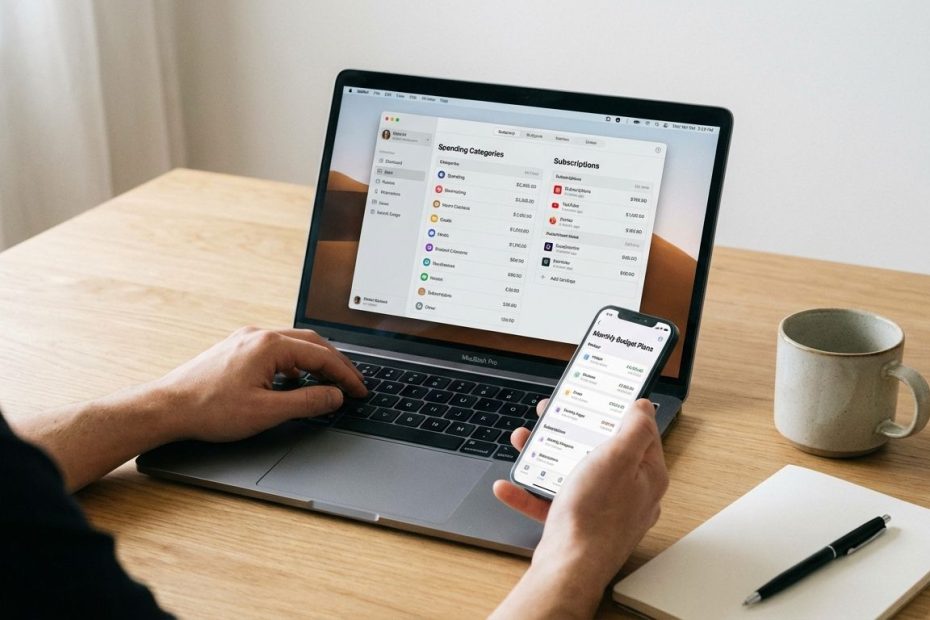
Personal finance and budgeting apps centralize your accounts, track spending, and convert messy transaction data into decisions you can execute: what to fund, what to cut, and what to automate. The “best” app is the one that matches how you actually manage money week to week, not the one with the longest feature list.
This guide breaks down seven standout budgeting apps and explains where each one wins, where it frustrates, and how to pick based on your workflow. You’ll leave with a clear short list, a practical setup plan, and the exact evaluation criteria to keep your budget from failing during the first month.
1. Monarch Money
If the goal is a clean, Mint-style dashboard that still supports real budgeting, Monarch Money fits that role well. It focuses on aggregation, category rules, recurring cash flow, goals, and household visibility, so you can manage day-to-day spending without turning budgeting into a second job.
Monarch’s positioning is straightforward: it’s paid, ad-free, and built for people who want control without data-selling tradeoffs. That model typically attracts users who want a “home base” for accounts, categories, and planning, then prefer consistent workflows over chasing free features.
Where Monarch tends to win:
- Mint-like visibility: Strong overview of accounts, trends, categories, and recurring items.
- Household coordination: Works well when two adults need shared clarity on the same budget.
- Rules and organization: Helps reduce manual cleanup once categories and merchants are tuned.
Where Monarch can disappoint:
- Paid-only: It’s a subscription, so it must earn a permanent spot in your expense stack.
- Setup time: The first week requires merchant cleanup, rule creation, and category design.
Best fit: You want a modern personal finance app that feels like an operating system for money: clear dashboards, reliable categorization workflows, and household-friendly budgeting.
2. YNAB (You Need A Budget)
YNAB is the clearest choice when you want behavior change, not just tracking. It runs on a zero-based method where you assign a job to every dollar you have, then adjust intentionally when reality changes. That structure forces decisions earlier, which is where most budgets either succeed or fall apart.
YNAB also aligns well with households that treat budgeting as an active practice. You don’t “set it and forget it” in YNAB. You check categories, move money between priorities, and keep the plan current. When that habit clicks, the budget stays usable even with variable income or uneven bills.
Where YNAB tends to win:
- Zero-based control: You manage trade-offs in the moment rather than discovering issues after the month ends.
- Category clarity: The budget communicates what you can spend right now, not what you wish you could spend.
- Household sharing: One subscription can be shared with a close-knit group (up to six people).
Where YNAB can disappoint:
- Ongoing maintenance: You must keep categories aligned with real-life spending decisions.
- Learning curve: You’re adopting a method, not just installing an app.
Best fit: You want a strict, decision-first budget that prevents overspending at the category level and supports debt payoff or savings acceleration through consistent rules.
3. Rocket Money
Rocket Money is often selected for subscription awareness and bill-related features rather than traditional budgeting purity. It’s the app you reach for when recurring charges are leaking money, when old trials keep renewing, or when you want faster visibility into what’s quietly hitting your accounts each month.
From an execution standpoint, Rocket Money works when you treat it as a “cost control layer” on top of your normal budgeting workflow. You still need a plan for groceries, utilities, and goals. Rocket Money helps reduce waste by surfacing recurring charges and nudging action on cancellations and bill reviews.
Where Rocket Money tends to win:
- Subscription cleanup: Clear focus on recurring spending and reducing forgotten renewals.
- Fast savings wins: Canceling one or two annual charges can offset app fees quickly.
- Lower friction entry: It’s often discussed as free-to-start with optional Premium.
Where Rocket Money can disappoint:
- Budget depth varies by user goals: If you want envelope-style category control, other tools fit better.
- Pricing expectations: Community discussion frequently centers on the Premium “choose your price” experience.
Best fit: Your immediate ROI comes from canceling subscriptions, spotting annual renewals, and tightening recurring expenses without adopting a strict budgeting method.
4. Copilot Money
Copilot Money stands out for user experience and fast categorization workflows, with an emphasis on making transaction review feel clean and manageable. If the main failure mode is “too many transactions, too much cleanup,” Copilot is built to reduce that drag.
Copilot’s value usually shows up when you’re consistent about reviewing transactions and adjusting categories with minimal friction. It supports the style of budgeting where you still plan, but you prioritize visibility and usability over a rigid method. When that matches your behavior, the budget stays maintained because the app doesn’t feel like work.
Where Copilot tends to win:
- Fast transaction workflows: Good fit when manual review must stay quick.
- Auto-categorization focus: Helps reduce repetitive category cleanup.
- Polished interface: Encourages consistent use, which is a real budgeting advantage.
Where Copilot can disappoint:
- Platform limits: It’s commonly described as Apple-focused, which can be a deal-breaker in mixed-device households.
- Method discipline: If you need strict category enforcement, you may prefer YNAB.
Best fit: You want a modern interface, strong categorization help, and a budgeting workflow you’ll actually keep using after the first month.
5. Quicken Simplifi
Quicken Simplifi is designed for proactive money management with a strong emphasis on cash-flow visibility. It’s often evaluated as a Mint replacement: you connect accounts, categorize spending, monitor recurring bills, and track what’s left after planned expenses.
Simplifi also benefits from Quicken’s long history in personal finance software, but the product itself is positioned as a separate web and mobile app. That matters because many people want a modern cloud experience without moving into full “desktop finance software” territory.
Where Simplifi tends to win:
- Cash-flow planning: Useful when bills and income timing drive stress more than categories do.
- Mint-style tracking: Solid fit for dashboards, spending plans, and recurring items.
- Promo-driven value: Often priced competitively during promotions for first-year users.
Where Simplifi can disappoint:
- Renewal surprises: Community discussion includes frustration around post-promo price changes.
- Fit depends on budgeting style: If you want strict envelope control, it may feel lighter than expected.
Best fit: You want a clean Mint-like experience with strong cash-flow planning, and you prefer a less rigid approach than zero-based budgeting.
6. EveryDollar
EveryDollar is commonly recommended to people who want a simple budgeting interface that pushes intentional planning. It aligns with a structured monthly budget mindset: plan your categories, track spending, and keep the plan visible.
EveryDollar also tends to show up in “best budgeting apps” roundups as an approachable option, particularly for users who don’t want a heavy analytics engine. The trade is that simplicity can mean fewer advanced automation or reporting features depending on the plan you use.
Where EveryDollar tends to win:
- Simple monthly budgeting: Helps keep attention on categories and planned spending.
- Low cognitive load: Good fit when the budget must stay straightforward to stay alive.
- Familiar budgeting structure: Works well if you already budget by month and want a digital version.
Where EveryDollar can disappoint:
- Feature tradeoffs: Power users often want deeper reporting, rules, or customization.
- Pricing sensitivity: It’s commonly listed as a paid app at the higher end of the category.
Best fit: You want an easy-to-run monthly budget that stays focused on planned spending and consistency, not endless analytics.
7. Goodbudget
Goodbudget is an envelope-style budgeting option that appeals to people who want intentional limits without paying premium subscription pricing. Envelope budgeting can work well when overspending happens in a few categories that need firm caps, groceries, dining, shopping, and personal spending are common examples.
Goodbudget’s strength is clarity. The budget communicates what’s available in each envelope, so the decision stays simple at the point of purchase. The limitation is that envelope budgeting can require more hands-on updates, especially if accounts don’t sync the way you expect or if you prefer a fully automated experience.
Where Goodbudget tends to win:
- Envelope discipline: Clear category caps that reduce overspending.
- Lower-cost feel: Commonly recommended as a budget-friendly alternative.
- Method clarity: Strong fit when a budget must enforce limits more than it must analyze trends.
Where Goodbudget can disappoint:
- Manual effort: Envelope systems can require more frequent updates to stay accurate.
- Less “dashboard-first”: If you want rich analytics and automation, other tools may fit better.
Best fit: You want envelope budgeting with clear spending limits and a lower-cost approach than premium all-in-one dashboards.
How Much Do Budgeting Apps Cost Per Month In 2026?
Most paid budgeting apps land in a band that roughly matches a streaming subscription or two. That pricing reality matters, since budgeting apps only work if you keep them long enough to build habits and see trends.
Current public pricing examples place YNAB at $14.99/month or $109/year. WalletHub lists Copilot at $13/month or $95/year, and EveryDollar at $17.99/month or $79.99/year. Monarch positions itself as paid-only with monthly and annual billing, and it communicates that price changes come with advance notice.
The smartest way to evaluate cost is to measure two numbers after 30 days: time saved and dollars saved. If the app reduces missed bills, overdrafts, late fees, subscription waste, or impulse spending, it earns its fee. If it becomes a dashboard you glance at and ignore, cancel it and keep the method in a spreadsheet.
Which Budgeting App Is Most Like Mint Right Now?
If Mint-style personal finance management is the target, the main requirement is reliable account aggregation plus categorization, trends, and alerts. You want the app to answer three questions quickly: what changed, what’s recurring, and what requires a decision today.
Monarch Money and Quicken Simplifi are two of the most common comparisons in that “Mint replacement” lane. Monarch often appeals when you want a premium, ad-free dashboard with household-friendly workflows. Simplifi is often chosen when cash-flow planning is the primary pain point and you want a strong value play during promotions.
Make the decision using operational criteria, not marketing: connection reliability for your banks and cards, category rule control, recurring transaction detection, and how fast it is to review a week of transactions. If a weekly review takes longer than 10 minutes, your usage will decay over time.
Is YNAB Still Worth It, Or Is Monarch Or Copilot Better?
YNAB stays worth it when the problem is overspending caused by unclear priorities, poor category limits, or inconsistent planning. It forces intentional trade-offs and keeps you honest about what you can fund now. That’s why it’s a standard recommendation for people working on debt payoff, building emergency funds, or stabilizing variable income.
Monarch or Copilot can be the better choice when you already have decent spending discipline and you need visibility plus organization more than strict enforcement. These tools tend to win on usability, dashboards, and day-to-day transaction handling, which raises the odds that you’ll keep using the app after the first month.
The clean decision rule is behavioral: if you will follow a method, pick YNAB. If you follow a workflow, pick Monarch or Copilot. Budgeting success is mostly compliance, so select the product you’ll open consistently.
What’s The Best Budgeting App For Couples Or Families Sharing Finances?
Shared finances fail when expectations aren’t visible. The app must support shared categories, shared goals, and a single source of truth for recurring bills. Without that, couples end up running parallel budgets that drift apart by mid-month.
YNAB supports sharing under one subscription for a close-knit group of up to six people, which makes it operationally clean for households. Monarch is also widely positioned as household-friendly, appealing to couples who want shared visibility with less method rigidity.
To implement this well, define shared versus personal categories, then lock the rules. Groceries, utilities, rent or mortgage, insurance, and shared savings goals stay visible to everyone. Personal spending categories stay private only if privacy is a requirement, since hidden spending breaks the budget faster than overspending does.
Which App Is Best For Subscriptions And Bill Negotiation?
If recurring charges are the main leak, prioritize an app that surfaces subscriptions cleanly and encourages action. Subscription sprawl usually hides in annual renewals, old trials, and “small” charges that don’t trigger attention until they stack up.
Rocket Money is frequently cited for subscription tracking and bill-oriented features, and community discussion often points to its Premium pricing model as flexible. The practical play is to use it as a savings tool: cancel unused subscriptions, confirm renewals that still matter, and redirect that monthly savings into a goal category you track elsewhere.
Keep the workflow disciplined. Run a monthly recurring-charge audit, review annual renewals, and set calendar reminders for trials. When subscription cleanup becomes a habit, budgeting becomes easier because fixed expenses stop creeping upward.
How To Choose The Right Budgeting App For Your Style
Selection gets easier when you choose the operating mode you’ll maintain. Most people switch apps because they bought features they didn’t need, then avoided the daily workflow that actually drives results.
Use four decision filters. Start with a budgeting method: zero-based and category enforcement points to YNAB, simpler planning points to EveryDollar, and envelope budgeting points to Goodbudget. Then check workflow friction: the app must make weekly review easy, otherwise the budget decays.
Third, evaluate account connections and categorization control: rules, merchant editing, and recurring detection matter more than charts. Fourth, evaluate household requirements: if two people spend from the same pool, multi-user support and shared visibility stop budget arguments before they start.
How To Set Up Your Budget So It Works After The First Month
Most budgets fail in setup, not in motivation. The categories are too detailed, the goals are unrealistic, and the system requires too many clicks per transaction. Fix those issues early and the budget survives the messy middle of real life.
Start by building categories that match how you make decisions. Keep it tight: essentials, bills, variable spending, and savings goals. Then add a short list of high-leak categories where limits matter, dining, groceries, shopping, subscriptions, and personal spending are common. Keep the rest broad until the budget is stable.
Run a weekly budget review on a consistent day. Clear uncategorized transactions, confirm recurring charges, and adjust categories when priorities change. If the budget requires daily attention, simplify it. If it requires no attention, it’s probably tracking, not budgeting, and goals won’t move.
Best Budgeting App For Most People
- Best for strict budgeting: YNAB
- Best Mint-like dashboard: Monarch Money or Quicken Simplifi
- Best subscription cleanup: Rocket Money
Pick One App, Run It For 30 Days, Then Optimize
Seven great apps don’t help if the tool changes every two weeks. Pick the app that matches your behavior, implement a simple category structure, and run a weekly review that keeps the budget honest. If strict category enforcement changes spending decisions, YNAB earns its price quickly. If clean visibility and household coordination drive better habits, Monarch or Simplifi often fit better. If recurring charges are the leak, Rocket Money can recover money fast, then a primary budgeting tool keeps the savings allocated to goals. Commit to one system for 30 days, measure time saved and dollars saved, then upgrade, downgrade, or switch with clear evidence rather than frustration.
References
- NerdWallet: The Best Budget Apps for 2026: Pros, Cons and What Users Say
- WalletHub: Best Budget Apps of 2026
- YNAB: Pricing
- Monarch Money Help Center: Pricing
- Copilot Money: Official Site
- Quicken: Plans & Pricing
- BestMoney: The 7 Best Budget Apps for 2026
- Reddit: r/MiddleClassFinance discussion on budgeting apps
- Reddit: r/Bogleheads discussion on Monarch Money vs Copilot
- Reddit: r/RocketMoneyOfficial discussion on free account availability
- Reddit: r/RocketMoneyOfficial discussion on pricing
- Reddit: r/ynab subscription audit post

Yitz Stern is a New York–based entrepreneur and business consultant with 20+ years of experience in alternative funding and real estate. A former CEO of Fundry and managing director at Tiger Financial Technologies, he now advises mid- to large, non-public companies on capital strategy and scalable growth while investing in multifamily real estate